Hour 019

This card is from SVS How to Draw Everything.

This lesson is about trying to eyeball 3D shapes and how they can interact by combining them and cutting away pieces of them, all in estimated perspective. I did this lesson today in Photoshop and I’m still getting a feel for how to use the tablet. It’s a whole different feel from how paper and pencil work. But after an hour of practice, it felt better and I could work more intuitively. Basic shapes are fairly easy for me, but intersecting them and doing cut aways are harder. There is a resource on Imgur to help with intersections:

https://imgur.com/a/forms-intersections-first-aid-pack-6Inx5Bz

I rated this as good, even though it’s difficult. I also need to work on roof lines, that’s something mentioned in this lesson. Next time around, I will work on rooflines, which is a special type of intersection.

Photoshop on Huion tablet

I spent 30 minutes practicing and this image took about 30 minutes.

color sketch of simple shapes intersecting, such as boxes, cones and spheres

Hour 018

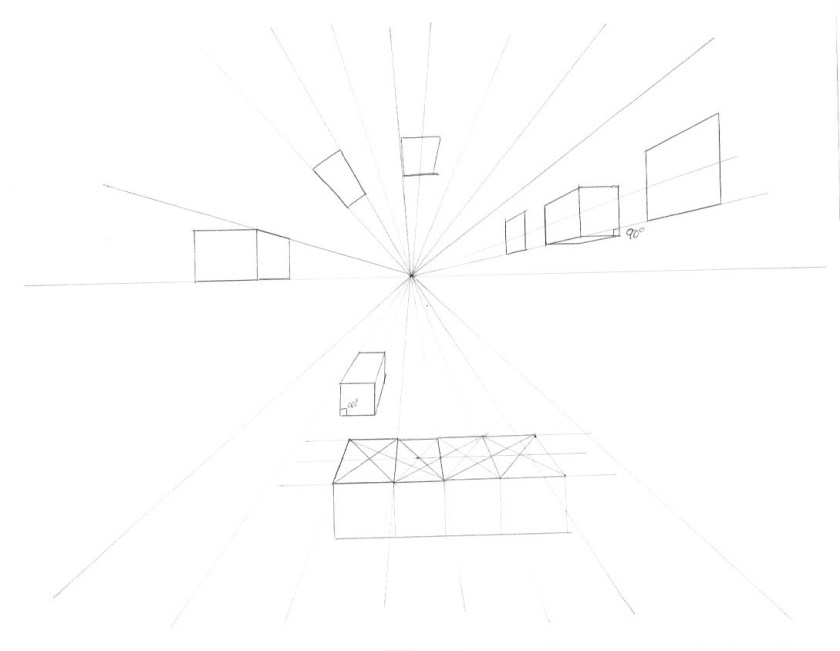
This card is from SVS Basic Perspective.

This lesson doesn’t look like much, but it’s going over all the basic terms of perspective including the cone of vision. We do a little practice with setting up guides to help with basic 1 point perspective and we practice making squares, cubes and then duplicating cubes.

Next time I will do this in Photoshop and Procreate.

Ball point pen on letter size copy paper.

I did 30 minutes going over class, then then 30 minutes to complete this image.

basic 1 point perspective grid with boxes

Hour 017

This card is from SVS – How to Draw Everything.

This lesson is about muscle memory and warming up. The idea is that if you can confidently draw simple lines, curves and boxes, you can focus on what you want to draw instead of getting caught up with how to make good lines. When I do new lessons, I do them first on paper, then do the class again in Photoshop and/or Procreate. I am new to drawing on a tablet, so my lines are really rough. I feel like I have more control on paper. But, doing an hour of practice on the tablet means that my lines are improving there too. There’s even an aspect of learning what position to take to draw lines at certain angles. I can always rotate the image, but it’s good practice to keep things level and just try to find angles that work. Over the hour I went from really rough lines to fairly confident lines. The final boxes are meant to not be perfect, instead we want a decent estimate of a 3D shape These are just warmups, but it felt good to work on them. I’ll need to warmup each time I use the tablet.

Photoshop on Huion16 tablet.

I spent 30 minutes practice and then 30 minutes to complete these images

Hour 016

This lesson is from SVS How to Draw Everything.

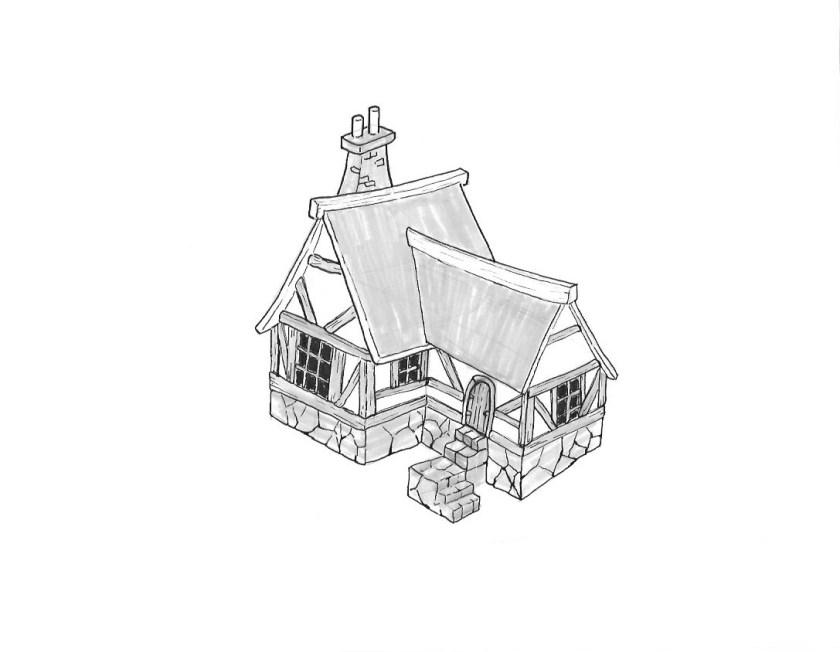
This is my second time drawing the cottage. The first was as a baseline before taking the class. This second time was working through the demo. Even after doing the class and going over some simpler objects, it was still difficult to do this cottage without the demo. It’s still so valuable to work with someone more experienced to see how they approach a larger, more detailed project. One thing I am learning is that this technique uses a lot of rough gesture lines, then structure lines, before getting into the final linework. I have seen many people use this rough-in technique, but others seem to just go for it and go straight to ink. Or do they? It’s hard to tell sometimes looking at thinks like Instagram. But, this is a great framework for me to work with. I tend to go into line work too soon, and I have issues when I don’t have the basic shape and structure worked out first. I did this first pass of the class on paper. I am going to run through the class again in Photoshop since I want to work on both.

Col-erase pencil, micron fine liner, and tombow markers on letter size copy paper.

I spent about 1 hour working on this image.

a sketch of a cottage in ink and marker
Hour 16 sketch
pencil and ink 'before' sketch of a cottage
Hour 3 ‘before’ sketch for comparison

Hour 015

This card is my own version of a ‘final’ from SVS How to Draw Everything.

I wanted a final project for the class that combines everything we went over so far, which means getting creative with the subject. We went over drawing buildings, trees, vehicles and characters, so I wanted to try combining them into a scene. This is still using the simple shape, line and tone techniques from class. Plus, I have been wanting to try drawing robots to bring into my Minecraft world, and this has my first bot! It’s a robot gardening cart that can follow you and bring things. I really love out the illustration turned out. This has far better design than my previous works. I also am loving the Pentel brush pen. It brings a lot of expressive lines to the work. There are of course a LOT of things that need improvement, but I’m very happy with this piece as my ‘final’ for class.

Col-erase pencil, Pentel brush pen, Tombow tone marker on letter size copy paper.

I spent 15 minutes doing thumbnails and then 45 minutes to complete this image.

a cute scene drawn with ink, with Gren walking out of a house to greet a friendly garden card robot